
Spot UV Varnish
What is Spot UV?
Also referred to as UV printing, spot varnish and spot gloss, spot UV is a clear varnish applied to highlight specific areas on a printed page. It creates a contrast in texture between a dull matt finish and a high-shine gloss effect.
Spot UV can be applied as a matt finish over a gloss background, although it is more commonly used as gloss over a matt background.
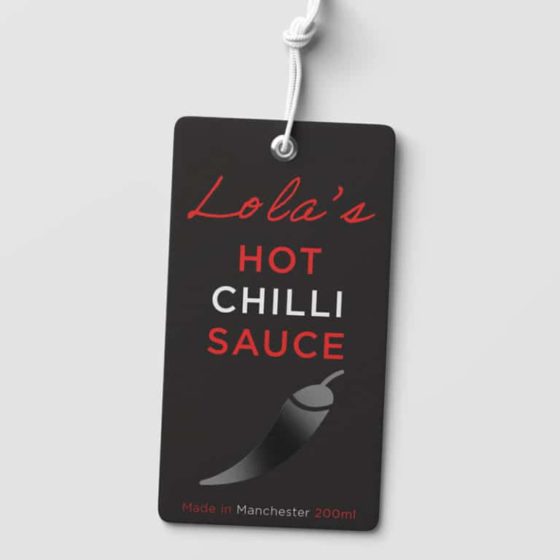
When gloss spot UV is added to print, colours can appear lifted and more vibrant, creating a glossy 3D effect.
Typical uses for gloss spot UV include logos, selected photographs within brochures, and highlighting text on business cards, but the possibilities are endless.
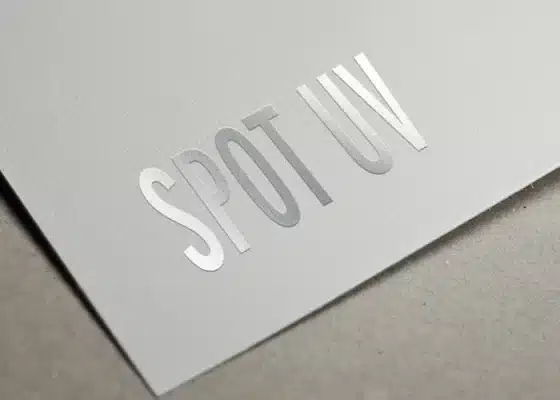
Blind Spot UV
If a more subtle effect is required, blind spot UV is the answer. The UV varnish is applied to a plain background with no specific print underneath it. Blind UV is a popular choice for business cards.
At first glance, the card may appear fairly ordinary, but as soon as your customer picks it up, they’ll notice your logo shining from the card as if by magic, disappearing and reappearing as the card is tilted.
Blind spot UV also works very well with text. For example, you could have your company name or message repeated across the entire surface of your printed item.
The best way to maximise the wow factor of gloss spot UV is to apply it on top of a matt lamination.
Soft touch lamination, also known as velvet lamination, gives a truly luxurious look and feel to your printed item.
It’s advisable not to add spot UV to unlaminated paper, as it can be absorbed and the desired high-gloss effect may be lost.
How is spot UV applied
Once the sheet has been printed and laminated, a template is placed over it before it is fed into a machine that applies the polymer, which is a durable clear liquid.
The sheet is then instantly dried under infrared and UV lamps, which is where the term spot UV comes from.
Setting Up Artwork
Artwork is supplied in the usual way with the spot UV area supplied as a separate file. This file should contain only the UV area and nothing else.
- Create an extra layer in your design tab and entitle it spot UV.
- Select a clashing colour, e.g. 100% magenta and save it as spot UV.
- In the first layers of your file copy the areas which will have spot UV and paste this on your new Spot UV layer in exactly the same position.
- The spot UV layer should now be coloured magenta.
Select the Spot UV areas carefully
The spot UV is designed to give contrast and highlight the UV area and the striking effect will be lost if it’s applied to too many areas. For a business card for example it’s common to add the UV to the printed logo. You could also liven up a plain reverse by adding blind UV with text or a pattern.
Think about the finishing process of your item
Avoid adding the spot UV near to folds or trimmed areas as the varnish needs a consistent surface tension and will be prone to cracking and flaking if placed too close. 3mm is the minimum recommended distance.
